AI Lingerie Generator: Create Stunning Fashion Photography with AI
Learn how to use AI to generate professional lingerie and boudoir photography. Tips for prompts, lighting, poses, and creating tasteful intimate fashion imagery.
AI Lingerie Generator: Create Stunning Fashion Photography with AI
AI image generation has transformed how fashion brands, content creators, and photographers approach intimate apparel imagery. What once required expensive studio setups, professional models, and full production crews can now be explored and prototyped with AI in minutes.
Whether you're building a lingerie brand lookbook, creating content for social media, or exploring boudoir photography concepts, this guide covers everything you need to know about generating professional-quality intimate fashion imagery with AI.
Why Use AI for Lingerie Photography?
Traditional lingerie photography involves significant costs and logistics:
- Studio rental: $200-500+ per session
- Professional models: $150-1000+ per hour
- Photographer fees: $500-2000+ per shoot
- Styling, hair, and makeup: $300-800+
- Post-production editing: $50-200+ per image
AI generation lets you prototype concepts, test compositions, and create reference imagery before committing to a full production — or use AI-generated images directly for certain applications.
Key Benefits
- Rapid iteration — Test dozens of poses, lighting setups, and styles in minutes
- Consistent aesthetic — Maintain the same visual style across an entire collection
- Cost-effective exploration — Try concepts before investing in physical production
- Diverse representation — Generate imagery featuring different body types and demographics
- Privacy — No real people involved during the concept phase
Getting Started with Fizzly
Our AI Image Generator supports all the models you need for professional fashion photography. Here's how to get started:
Step 1: Choose the Right Model
For lingerie and boudoir photography, we recommend:
- Nano Banana Pro — Best for photorealistic results with accurate fabric textures
- GPT Image — Excellent for creative compositions and artistic styles
Each model handles fabric textures, skin tones, and lighting differently. Experiment to find which works best for your specific style.
Step 2: Craft Your Prompt
The quality of your AI-generated lingerie photography depends heavily on your prompt. Here's a framework:
Basic structure:
[Subject description], [clothing details], [pose], [lighting], [setting], [style]
Example prompts:
Editorial fashion:
Professional fashion photography, model wearing elegant black lace bodysuit, confident standing pose, soft studio lighting with rim light, clean white backdrop, high-end fashion editorial style, 85mm lens
Boudoir:
Intimate boudoir portrait, woman in silk champagne-colored slip dress, relaxed recline on luxury bedding, warm golden window light, elegant bedroom setting, soft and romantic mood, natural skin textures
E-commerce product shot:
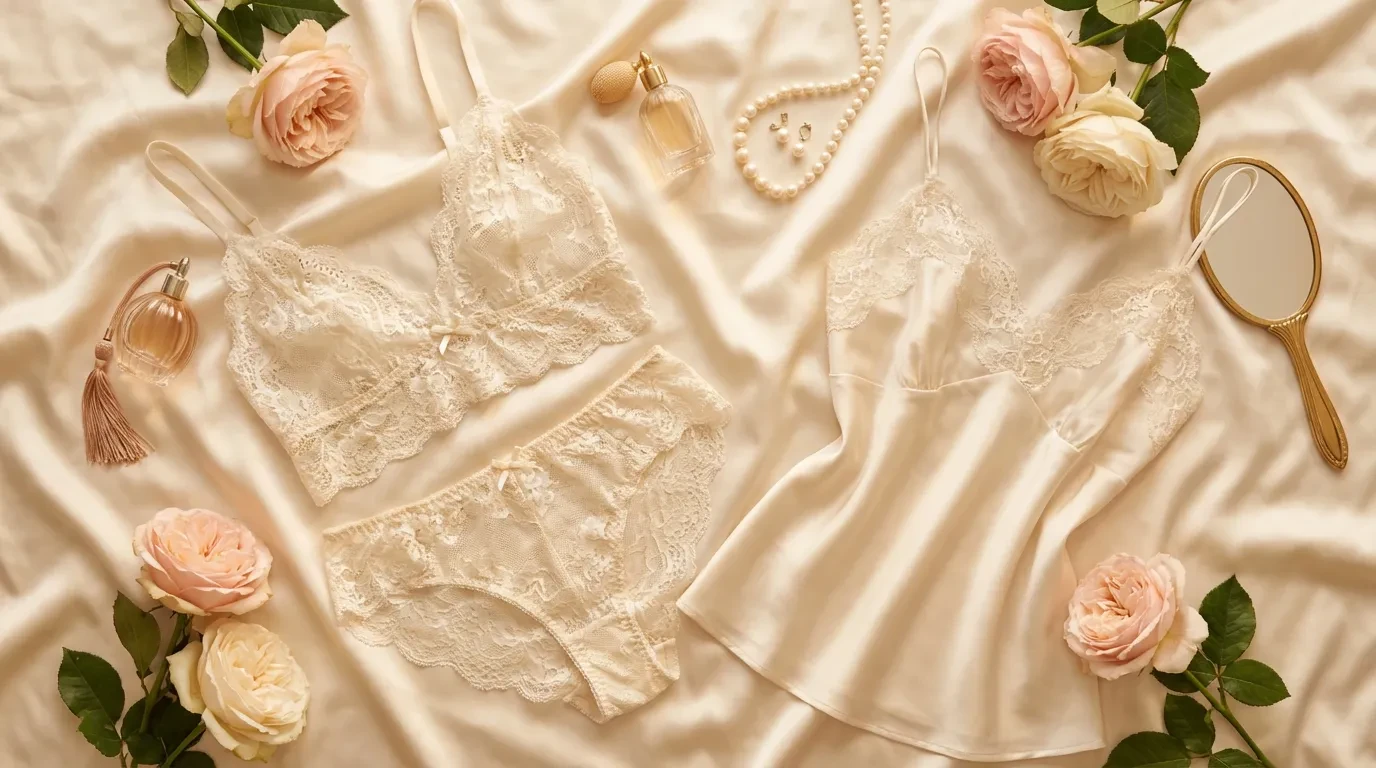
Product photography, lingerie set displayed on mannequin form, delicate white lace bralette and matching brief, even studio lighting, clean background, commercial product photography style
Step 3: Master Lighting Descriptions
Lighting makes or breaks intimate fashion photography. Use these descriptions:
| Lighting Style | Prompt Keywords | Best For |
|---|---|---|
| Soft window light | "soft natural window light", "diffused daylight" | Romantic boudoir |
| Studio butterfly | "butterfly lighting", "overhead key light" | Editorial fashion |
| Rim lighting | "rim light", "backlit", "silhouette accent" | Dramatic silhouettes |
| Golden hour | "warm golden hour light", "sunset tones" | Outdoor editorial |
| Low key | "dramatic shadows", "moody low-key lighting" | Artistic/moody |
Step 4: Specify Fabric and Material Details
AI models respond well to specific fabric descriptions:
- Lace: "delicate French lace", "floral lace pattern", "sheer lace overlay"
- Silk: "luxurious silk charmeuse", "flowing silk fabric", "glossy silk texture"
- Satin: "smooth satin finish", "luminous satin fabric"
- Mesh: "fine mesh fabric", "sheer tulle detail"
- Velvet: "rich velvet texture", "soft velvet fabric"
Advanced Techniques
Using Reference Images
With Fizzly's Image-to-Image tool, you can use an existing photo as a reference and transform it:
- Upload a pose reference and describe the desired lingerie style
- Transform casual clothing into elegant intimate apparel concepts
- Maintain a specific composition while changing fabrics and colors
Character Consistency with LoRA
For brand lookbooks requiring the same model across multiple images, use LoRA training:
- Train a LoRA model on your desired aesthetic or character
- Generate consistent imagery across different outfits and settings
- Maintain brand identity with the same model in every shot
Post-Processing with AI Tools
After generating your images, enhance them with:
- AI Upscaler — Increase resolution for print-ready quality
- AI Relight — Adjust lighting after generation
- Image Editor — Fine-tune details with inpainting
- Image Compressor — Optimize for web delivery
Style Guide by Use Case
E-Commerce Product Photography
Focus on clean, well-lit imagery that shows product details:
- Use even, diffused lighting
- Include product detail descriptions (clasps, straps, seams)
- Specify "product photography" or "e-commerce" in your prompt
- Generate multiple angles of the same piece
Social Media Content
For Instagram and Pinterest-style content:
- Use lifestyle settings and natural poses
- Include aspirational descriptions ("luxury bedroom", "morning light")
- Generate square (1:1) or portrait (4:5) aspect ratios
- Add mood descriptions ("confident", "serene", "playful")
Brand Lookbook / Editorial
For cohesive collections:
- Maintain consistent lighting descriptions across all prompts
- Use the same setting keywords for continuity
- Specify a consistent color palette
- Consider using LoRA for model consistency
Artistic / Fine Art
For creative and artistic boudoir:
- Reference art movements ("Renaissance-inspired", "Art Nouveau")
- Use dramatic lighting descriptions
- Include compositional terms ("chiaroscuro", "rule of thirds")
- Experiment with unusual color palettes and settings
Ethical Considerations
When using AI for intimate fashion imagery:
- Never generate non-consensual content — Don't use real people's faces without permission
- Respect platform guidelines — Each platform has content policies for intimate imagery
- Be transparent — Label AI-generated content appropriately
- Consider representation — Generate diverse and inclusive imagery
- Commercial rights — All images generated on Fizzly include commercial usage rights
Common Mistakes to Avoid
- Vague prompts — "woman in lingerie" produces generic results. Be specific about fabric, color, pose, and lighting.
- Ignoring lighting — Without lighting direction, AI defaults to flat, uninteresting light.
- Wrong aspect ratio — Match your output to the intended platform (square for Instagram, vertical for Pinterest).
- Over-prompting — Including too many conflicting details confuses the model. Focus on 5-6 key elements.
- Skipping post-processing — Even great AI images benefit from upscaling and minor adjustments.
Explore AI Photo Packs
For ready-to-use professionally crafted prompt collections, explore our AI Photo Packs. Browse curated collections across multiple styles and categories, each with optimized prompts for consistent, high-quality results.
Get Started
Ready to create professional AI lingerie photography? Try our AI Image Generator free — no credit card required. Start with our recommended prompts above and iterate until you find your perfect style.
For consistent character imagery across your collection, explore AI Characters and LoRA Training to build your own custom model.